A real lab, not a slide deck
This is the physical and virtual environment behind every verified count on this site. If a detection can't survive messy reality, it doesn't belong in the repo.
What's running and why
Single Proxmox host running multiple VMs. Windows 11 endpoint feeds Wazuh for detection, Splunk for search and investigation pivots. Everything runs on isolated RFC1918 subnets — test traffic stays in the lab, evidence comes out.
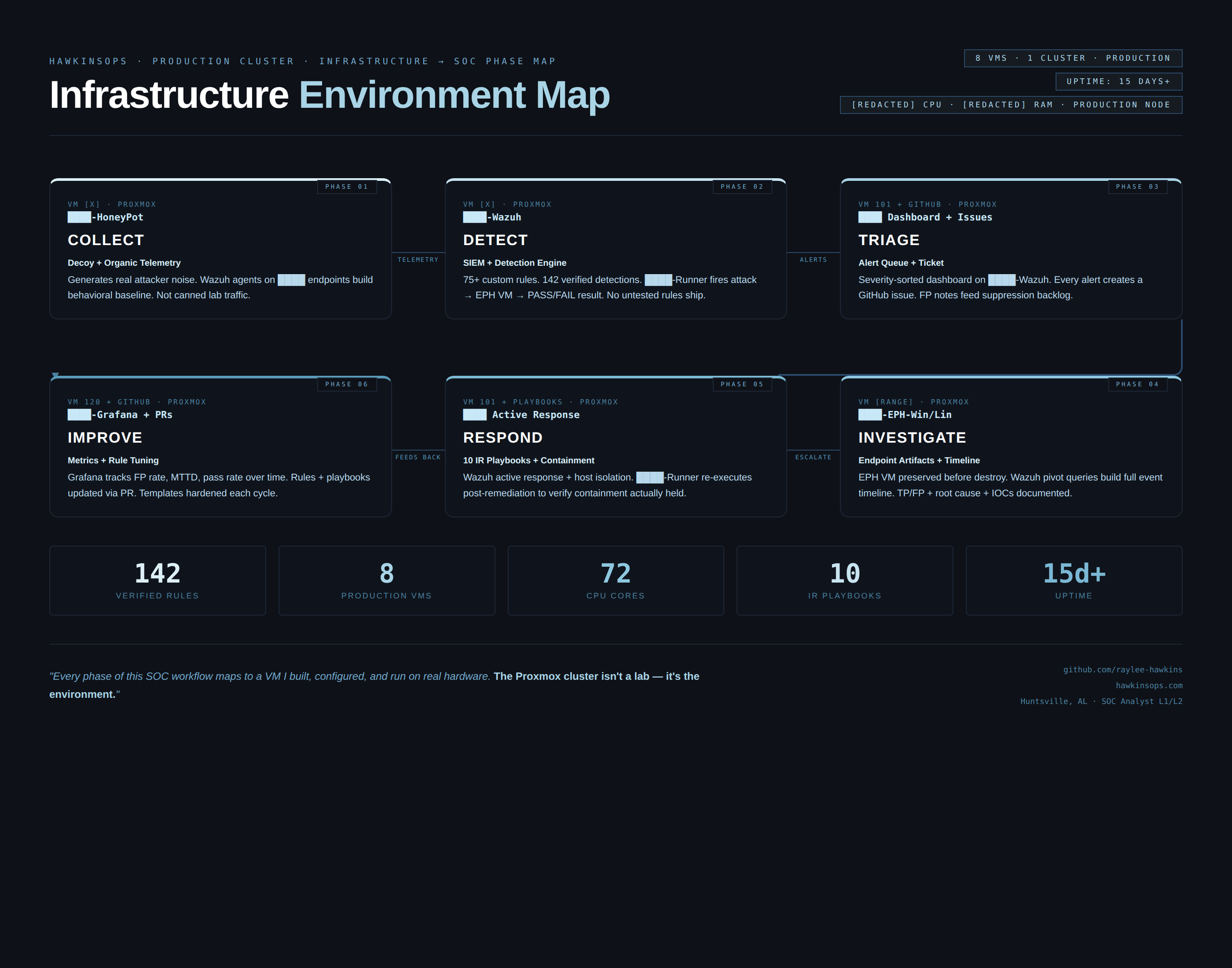
Isolated, repeatable, boring in a good way
The lab runs on a private RFC1918 subnet. Isolated from external networks during detection runs. Test traffic stays in the lab. Evidence comes out.
How detection scenarios run
Each detection scenario follows a consistent pattern: trigger the behavior, confirm the alert fires, capture evidence, validate counts. Nothing ships to the repo until the full loop completes.
Data flow: endpoint to alert (how logs move)
- Primary endpoint generates event (process creation, FIM change, network connection, etc.)
- Wazuh agent forwards to Wazuh Manager over encrypted channel
- Wazuh Manager evaluates against custom rules (100000+ range)
- Alert fires at configured severity level
- Alert captured and validated as evidence artifact
- Splunk receives forwarded events for SPL pivot layer
What's captured and where it lives
Every detection run produces at least one artifact: a screenshot, log snippet, or verification output.
Artifacts are sanitized and stored in PROOF_PACK/ alongside counts and evidence checklists.
PROOF_PACK/VERIFIED_COUNTS.md on every push. Counts are reproducible by running the verify script against the public repo. No hand-waving required.Redacted examples available on request.